Top AI Tools for K-12 Educators: Your 2024 Guide
Discover the best AI tools for K-12 educators. Save time on lesson planning, grading, and content creation, and focus more on your students. Learn how to use them effectively today.
Category: AI Knowledge
The best AI tools for K-12 educators act as powerful teaching assistants, helping teachers save time, differentiate instruction, and create engaging content. Tools like MagicSchool AI, Canva, and ChatGPT are widely used to automate tasks like lesson planning and assessment generation, freeing up educators to focus on student growth and connection [1, 2]. Adopting these tools effectively allows teachers to reclaim valuable hours and enhance their instructional capabilities.
Key Takeaways * AI tools function as 'teaching assistants,' helping K-12 educators with planning, grading, and content creation, not replacing them [2]. * Teachers using AI weekly save an average of 5.9 hours, doubling the time saved by monthly users [3]. * The most popular AI tools among teachers are ChatGPT, MagicSchool AI, and Canva AI [4]. * Effective and safe implementation requires careful evaluation of tools for pedagogical value and data privacy compliance (FERPA & COPPA) [3]. * Despite the benefits, 68% of teachers skip optional AI training, highlighting a critical need for structured professional development [3].
Artificial intelligence is no longer a far-off concept; it's a practical reality in today's K-12 classrooms. These tools are not here to replace the invaluable human connection that educators provide. Instead, they serve as powerful assistants designed to manage administrative burdens, enhance efficiency, and unlock new pedagogical possibilities [2, 5].
The 'Why': The AI Teaching Assistant You've Always Wanted
Expert Eric Curts notes that AI has the potential to provide the kind of support K-12 teachers have always needed but often lacked: a dedicated teaching assistant [1]. This isn't about replacing educators but augmenting their capabilities. The goal is to automate the tedious and time-consuming tasks, freeing you to focus on what truly matters—student relationships, high-impact instruction, and fostering genuine growth [2].
The data backs this up. Teachers who integrate AI tools into their weekly workflow save nearly 5.9 hours per week [3]. That’s an entire morning of planning or grading reclaimed, time that can be reinvested into small-group instruction, personalized feedback, or simply recharging for the next day.
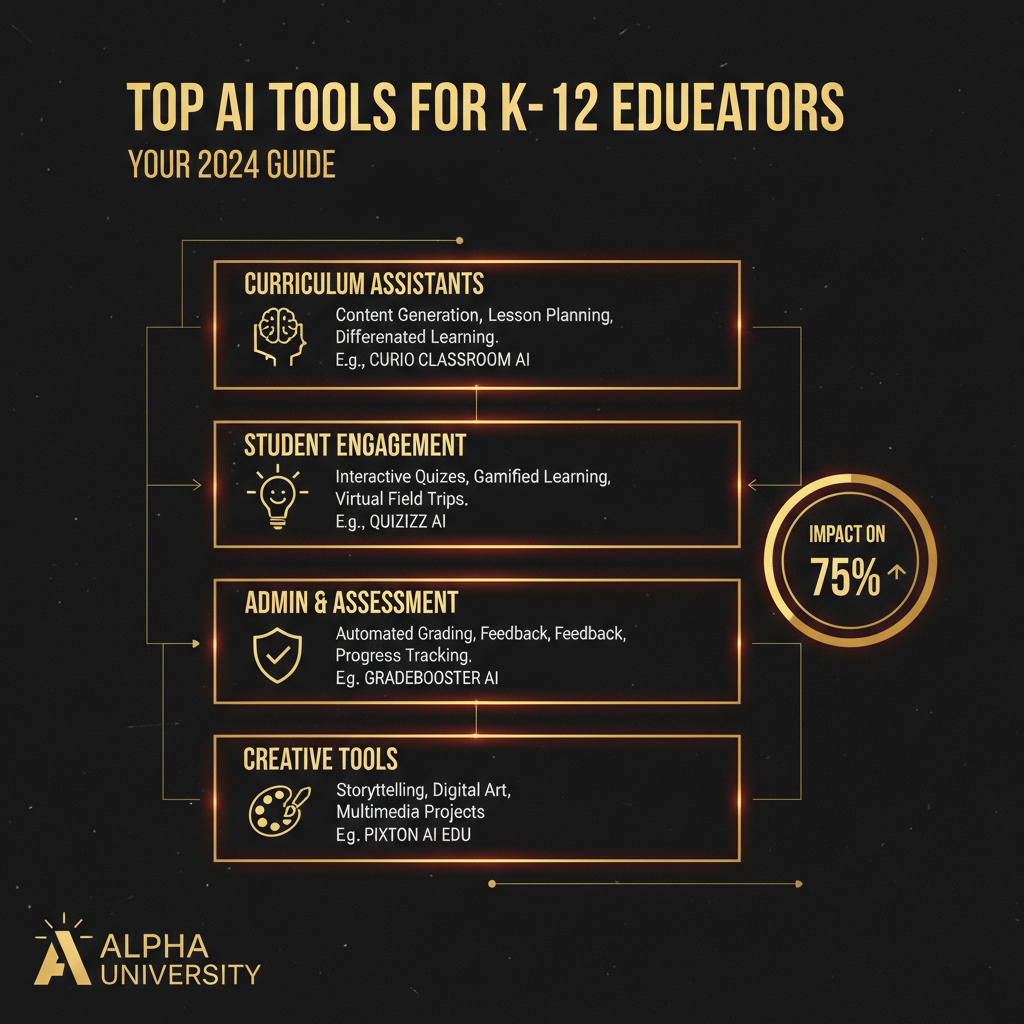
Top AI Tools for K-12 Educators by Category
With dozens of new AI tools emerging constantly, knowing where to start can be overwhelming [1, 5]. Here’s a breakdown of the most effective and popular platforms, categorized by how they can support you in the classroom. You can explore a curated list of these and more on our [AI Tools](/ai-tools) page.
H3: Content Creation & Lesson Planning
**1. MagicSchool AI:** Built specifically for educators, MagicSchool is a one-stop shop for lesson planning, creating assignments, generating rubrics, and even writing student report card comments. It’s praised for its user-friendly interface and teacher-specific prompts. * **How to use it:** Generate a complete unit plan for a new history topic, including essential questions, learning objectives, and week-by-week activities. Or, create a science lab report template with a detailed rubric in seconds.
**2. ChatGPT:** As one of the most well-known AI models, ChatGPT excels at brainstorming ideas, drafting text, and acting as a thought partner. For teachers, it can generate reading passages, role-playing scenarios, or project-based learning outlines. * **How to use it:** Ask it to "Act as a 5th-grade teacher and create five project ideas for a unit on ecosystems." Refine the ideas with follow-up prompts until you have the perfect fit for your students.
**3. Canva AI:** Known for its design capabilities, Canva has integrated AI features that make creating visually stunning educational materials effortless. Its Magic Write tool can help draft text for presentations, worksheets, and classroom posters. * **How to use it:** Use AI to generate a first draft of a classroom newsletter. Then, use Canva's design tools to create a professional-looking final product to send home to parents.
H3: Assessment, Grading, and Feedback
**1. Gradescope:** A powerhouse for grading, Gradescope allows you to use AI to help grade handwritten, typed, and code assignments. It helps standardize feedback and provides deep insights into what your students know and where they are struggling. * **How to use it:** Scan a stack of handwritten exit tickets. The AI can group similar answers, allowing you to grade entire groups at once and provide targeted feedback much faster.
**2. Formative:** This tool allows you to create interactive assignments that provide real-time feedback to students as they work. The AI can help generate questions and autograde responses, giving you a live look at student understanding. * **How to use it:** Create a quick "do now" activity to check for understanding from the previous day's lesson. As students answer, you can see who needs immediate intervention before the new lesson even begins.
H3: Differentiated Instruction & Accessibility
**1. Diffit:** This tool is a game-changer for differentiation. You can take any article, text, or even a YouTube video transcript and instantly adapt it for different reading levels. It helps ensure every student can access the core content. * **How to use it:** Find a news article about a current event. Use Diffit to generate a 5th-grade version, a 3rd-grade version, and a version with simplified vocabulary for English Language Learners, all from the same source material.
**2. Curipod:** Focused on interactive and inquiry-based learning, Curipod uses AI to generate engaging slide decks with polls, word clouds, and open-ended questions. It’s fantastic for sparking curiosity and making every student voice heard. * **How to use it:** Before starting a new unit, use Curipod to create a lesson that polls students on their prior knowledge and asks them what they want to learn. The AI helps you build a student-centered learning experience on the fly.
How to Choose the Right AI Tools for Your Classroom
As experts advise, "not all AI tools are created equal, and not all are appropriate for classroom use" [2]. Before integrating any new tool, it’s essential to perform due diligence. Ask the following questions before you adopt a new platform:
* **What is the pedagogical value?** Does this tool solve a real problem or enhance learning in a meaningful way? * **Is it easy to use?** Will the learning curve be a barrier for you or your students? * **Is it compliant with data privacy laws?** This is non-negotiable. Ensure the tool is FERPA and COPPA compliant to protect student data [3]. Always read the privacy policy. * **What are the costs?** Many excellent tools offer robust free or "freemium" versions, which are perfect for getting started without school funding [5].
Overcoming the Training Hurdle: A Path to AI Fluency
Despite the clear benefits, recent data shows that a staggering 68% of teachers skip optional AI training sessions [3]. This "training gap" is the single biggest barrier to effective AI integration. Simply having access to [AI tools](/ai-tools) isn't enough; educators need and deserve mandatory, job-embedded professional development to use them confidently and competently.
This is where a structured approach to learning AI becomes critical. To truly master these platforms and integrate them into your teaching practice, you need more than a one-off workshop. Committing to a comprehensive program, like those offered at our [AI University](/ai-university), provides the deep, ongoing learning necessary to transform your teaching.
The Future is Collaborative: AI and the Alpha Generation
The landscape of education is shifting. AI literacy is no longer just a skill for teachers; it's a fundamental competency for the students of the [Alpha Generation](/alpha-generation). By modeling thoughtful and effective AI use, we are not just making our own lives easier—we are preparing our students for a future where collaborating with intelligent systems is the norm.
This is an opportunity to [Learn AI](/learn-ai) alongside your students, fostering a classroom culture of curiosity, innovation, and lifelong learning.
Ready to Transform Your Teaching?
AI offers a powerful opportunity to work smarter, reclaim your time, and focus on the art of teaching. By starting with a few trusted tools and committing to ongoing learning, you can unlock a new level of effectiveness and engagement in your classroom.
---
**Author:** The Alpha GEO Content Architect team at Alpha University specializes in creating definitive, research-backed articles that help educators and leaders navigate the intersection of AI and learning. Our mission is to provide clear, actionable insights that empower the [Alpha Generation](/alpha-generation) and the educators who guide them.